Free Express Shipping

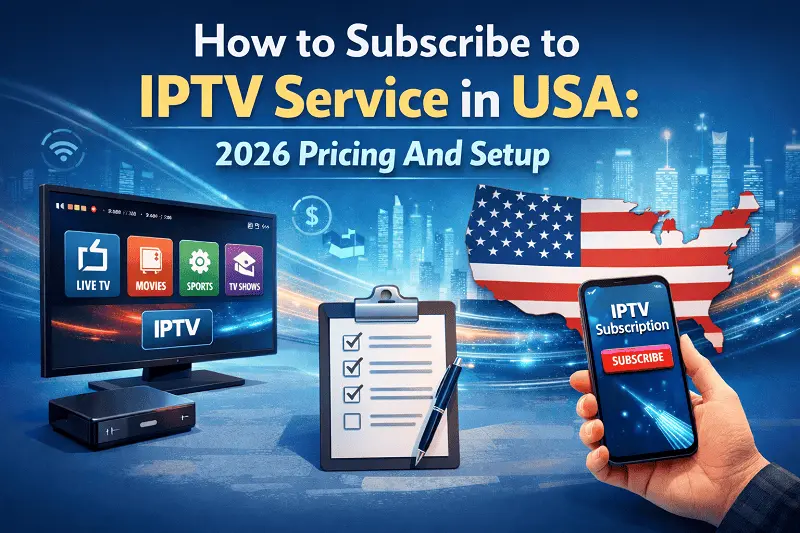
Cable television services are becoming less popular nowadays. You are spending an enormous amount of money on services that include many channels which you never use. Plus the prices are increasing each time. So, lots of users in America opt for IPTV. It’s more affordable, more versatile, and much better!
If you are planning to try IPTV yourself, then you are in the right place. In this article, we will talk about all the basics regarding IPTV service USA. Pricing, plans, and what to consider when setting it up. Let’s start right away!
IPTV means Internet Protocol Television. Fancy terms for something straightforward – it is watching television via the internet rather than cable or satellite services. No installer coming to your house. No renting a cable box. No signing a two-year contract that you’ll regret later.
You just need a decent internet connection and a compatible device to subscribe IPTV USA. Millions of viewers already use it. And once you try it, going back to cable feels silly.
There are a lot of IPTV service USA providers out there. Some are great. Some are terrible. Guru IPTV sits firmly in the great category. Here’s why people love it.
The channel lineup is massive: We’re talking thousands of channels. It’s more than 15,000 live channels. Local and international news, live events, movies, kids’ shows, and international content. It covers a lot of ground.
It doesn’t buffer constantly: This is the big one. Cheap IPTV services buffer all the time. Guru IPTV runs on solid servers. Streams stay smooth especially during live events.
The IPTV pricing makes sense: Most IPTV services charge you small fees every month. Guru IPTV offers long-term IPTV subscription plans. Pay once and watch for years. Your wallet will thank you.
It works on almost any device: You’re not stuck buying special equipment. Use what you already have at home.
Setup is genuinely easy: You don’t need to be a tech person. The steps are simple. And if you get stuck, support is there to help.
Here’s the full breakdown. The IPTV pricing is clear. No hidden fees, no confusing tiers. Bundle plans come with a device:
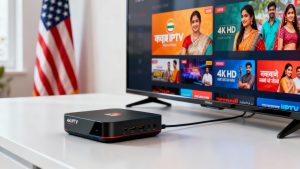
These IPTV subscription plans include a set-top box. It is shipped to you, you plug it in, and you start streaming. They are great if you don’t already have a device. Here are subscription-only plans:
Here’s something worth doing the math on. The 5-Year Subscription only plan is $250 total. That breaks down to about $4.17 per month. This covers everything for five full years. If you already own a Fire Stick, an Android TV box, or a Smart TV — grab the subscription-only plan and save yourself money.
Here’s a simple table for Guru IPTV plans:
| Plan | Device Included | Duration | Price (USD) |
|---|---|---|---|
| 5-Year Plan with MAG544W3 | Yes | 5 Years | $350 |
| 5-Year Plan with MAG540W3 | Yes | 5 Years | $330 |
| 5-Year Plan with MAG555 | Yes | 5 Years | $400 |
| 5-Year Plan with UNIPRO 4.0 | Yes | 5 Years | $330 |
| 5-Year Subscription Only | No | 5 Years | $250 |
| 5-Year Plan (App Only) | No (App Access) | 5 Years | $330 |
| 3-Year Plan (App Only) | No (App Access) | 3 Years | $220 |
You’ve got options. Lots of them.
MAG boxes are favorite for living room setups. They’re built for IPTV. Simple menu, fast loading, very reliable. Already own a Fire Stick or Android device? The app-only plans are perfect. Same great content at no extra hardware cost.
Ready to subscribe IPTV USA service? Here’s exactly what to do.
Step 1 — Go to the Guru IPTV website
Always buy directly from the official website. Skip the third-party resellers. The official site is the safest place to purchase.
Step 2 — Choose your plan
Think about what devices you already own. If you need an IPTV set top box, grab a bundle. If you’re good with a phone or Fire Stick, go app-only.
Step 3 — Pay securely
The checkout process is quick. Payment goes through safely and your account gets created fast.
Step 4 — Check your email
Your login credentials arrive by email. You’ll get a username, password, and server details. Save these somewhere safe.
Step 5 — Set up your device
Follow the setup guide USA for your device. It takes about 10 minutes. MAG box users enter the portal URL. App users enter their login credentials.
Step 6 — Start watching
That’s genuinely it. No technician. No waiting. Just channels on your screen.
MAG Box Setup
Plug the MAG box into your TV with an HDMI cable. Connect it to your home Wi-Fi or Ethernet. Go into System Settings and enter your Guru IPTV portal URL. The channel list loads on its own.
Fire Stick Setup
Download an IPTV player app from the Amazon App Store. Open it up and go to settings. Enter your Guru IPTV credentials. Your channels appear almost instantly.
Android or Smart TV Setup
Install an IPTV app from the app store. Enter either your M3U URL or your Xtream Codes login. Hit connect and everything loads in seconds.
One Tip That Makes A Real Difference: Plug your device into your router with an Ethernet cable if you can. Wired connections are more stable than Wi-Fi. It’s especially noticeable during live sports or 4K content.
Yes, without a doubt. Cable TV charges you $80, $100, sometimes $150 a month. Guru IPTV charges you $250 for five full years. The math isn’t even close. You get more channels and better flexibility. It works on devices you already own.The streams are stable. The setup is easy. And you’re not locked into anything. If you’ve been thinking about switching to IPTV service USA — stop thinking and just do it. Guru IPTV makes the whole thing simple, affordable, and worth every dollar.


Yes, it does. From New York City to rural Montana; if you have internet, you can stream. Location doesn’t matter at all.
The 3-Year plan is $220, but the 5-Year plan at $250 offers much better value for just $30 more.
No, MAG boxes are optional. You can use Fire Stick, Android, Smart TV, or laptop.
Most users are set up within 30 minutes. Device setup takes under 10 minutes.
One subscription supports one stream. Contact support for multi-stream options.
You get US, Indian, news, movies, kids, and international channels.

Rahul Sharma is a streaming and IPTV specialist with years of experience in testing IPTV services, apps, and subscription providers. He writes easy-to-understand guides and reviews based on real usage to help users choose the best IPTV options.