



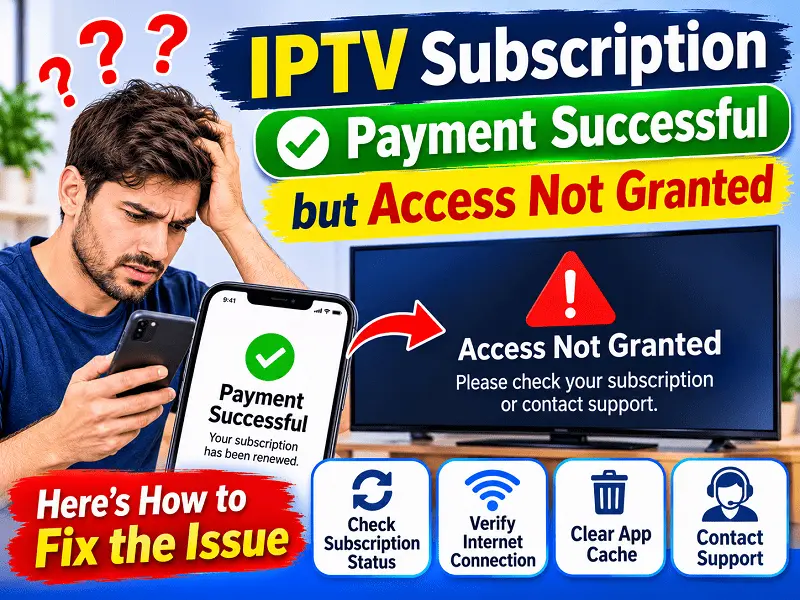
You buy an IPTV subscription and the payment shows successful. Your bank even sends the message. Then you open the app and it says the account is inactive or just keeps loading. Or maybe a login error pops up even though you literally just signed up.
It’s really annoying and a lot of people in the USA face this at some point. The good part is it’s rarely a big issue. Your money is fine, and your account is most likely fine too. Something small is just stuck between the payment and the activation. So let’s talk about why it happens and what you can do about it.
See Indian Subscription Packages
Explore Indian channel packages and find an IPTV subscription that fits your entertainment needs. Check available plans, features and compatible device options.
Explore IPTV Subscription →Choose your preferred IPTV subscription package and get started.
Why does this happen?
When you pay for an IPTV service online, a few steps happen in the background. The payment goes through, then the system confirms it then your account gets turned on. If any one of those steps runs slow, you end up waiting with money gone and nothing to watch.
It works kind of like ordering at a busy counter. You paid already, but the order still has to get made and handed to you. Sometimes it takes a few minutes, and sometimes the slip gets lost in the rush.
These are the usual reasons for it.
Pending payment: Your bank may show the money as taken, but the other side is still verifying it. This happens a lot with cards when the bank is strict about online payments. It can take a few minutes or a couple of hours.
Activation delay: Even after the payment clears, the account needs a little time to switch on. Most days it’s quick, but in busy hours it can run late.
Wrong login details: It’s very common. One letter typed wrong or an old password from a different account, and the app just rejects you.
Old app version: If you haven’t updated the app in a long time, it may not connect well with the newer account system. It opens fine but can’t talk to the server.
Internet or device trouble: Sometimes it’s not your IPTV subscription at all. A weak connection or a device that’s been running for days can make it look like access was never given.
Email in spam: After paying, you normally get an email with login info or an activation link. If it went to spam or promotions, you might be waiting for something that’s already sitting in your inbox.
What to check first?
Before you message anyone, take five minutes and go through these. Most people sort it out right here.
Search your email properly: Look in the inbox, then spam, then junk, then promotions. Search the service name or the word subscription. Your login info might already be there.
Read the payment confirmation again: Make sure it says successful or completed. Some payments say “processing” or “pending,” and that’s not the same thing. If it’s pending, you just have to wait.
Recheck your login: Copy and paste it instead of typing if you can. Extra spaces at the start or end cause a lot of errors. Also, capital I and small l look almost the same, which trips people up.
Restart everything: Switch off your device and pull the plug for about a minute, then turn it on again. Do the same for your router. It sounds too simple, but it clears a lot of random glitches.
Update the app: Go to your app store or settings and see if an update is waiting. Install it then open the app and try again.
Give it some time
Nobody likes this part, but it’s real. If you paid just now, wait about 15 to 30 minutes before you try anything big. Lots of times the activation is just behind, and it sorts itself out.
And please don’t pay again while waiting. This is where people get into more trouble. They get nervous and pay a second time, and then a double charge takes days to fix. If the first payment was successful, you don’t need to pay again. Wait and check and then ask for help if needed.
Look at your internet
An IPTV subscription needs a steady connection to work properly. If your internet is slow or keeps dropping, the app may fail to confirm your account even when it’s fully active.
Open a website or another app on the same device and see how it runs. If it’s slow, try getting closer to the router or use a wired connection if you have one. Many homes in the USA have older routers that struggle when lots of devices are connected, so switching a few off for a minute can help.
Also check if you have a VPN running. Some VPNs mess with how the app connects. Turn it off for a quick test and you will know right away if that’s the issue.
Too many devices
Some people sign up on one device and then try to log in on another. If your plan has a device limit, you might have hit it without noticing. An old phone could still be logged in, or someone in the family is already using the account.
Log out from the devices you don’t need and then try again on the one you want. If you aren’t sure how many devices your plan allows, check the plan details or ask for support.
Clear the app cache
If the app has been on your device for a long time, it may be holding old data that clashes with your new account. Clearing the cache usually fixes it. Most devices have this in app settings under storage. After clearing, open the app and log in fresh.
If that still doesn’t work, uninstall the app and install it again. It takes a couple of minutes and gives you a clean start. Keep your login details ready before you do it so you don’t get stuck.
Explore IPTV Channels By Language
Find Indian and international channels in your preferred language.
Ready to Explore More IPTV Channels?
Choose your preferred IPTV subscription package.
Explore IPTV Subscription →When to contact support?
If you tried everything above and still can’t get in after 30 minutes to an hour, then it’s time to contact Guru IPTV support. By then it’s most likely something on the account side that only the team can fix.
To make it quick, keep these things ready.
Payment proof: A screenshot of the payment confirmation or the receipt from your email. This helps them find your order fast.
Account email: The same email you used when you signed up for your IPTV subscription.
Device details: Tell them what device you use and what error shows up. A screenshot of the error helps even more.
What you tried: Mention the steps you already did so they don’t ask you to repeat them. It saves time for everyone.
When you send all this in the first message, the support team can fix things much faster. A message that just says it’s not working takes longer because they have to ask you many questions back.
How to avoid this next time?
You can’t control everything, but a few habits make this less likely.
Use a payment method that works smoothly for online purchases and check your card details before paying. Save your login details somewhere safe as soon as you get them. Keep the app updated so it doesn’t fall behind. And try not to renew at the very last minute because if something goes wrong, you want some extra time before you actually need to watch.
It’s also a good idea to renew a day or two before your plan ends. That way if there’s a delay, you are not left with nothing to watch while it gets fixed.
Final thoughts
Paying for an IPTV service and not getting access feels stressful, but it usually gets fixed in a few minutes. Most of the time it’s a delay or a typo or an app that needs a refresh. Go through the checks one by one and give it a little time, and don’t pay twice.
If you still can’t get in, Guru IPTV support is there to help, and with your payment proof and account details ready, it gets sorted much quicker. Your IPTV subscription should just work, and when it doesn’t, you now know what to do.