



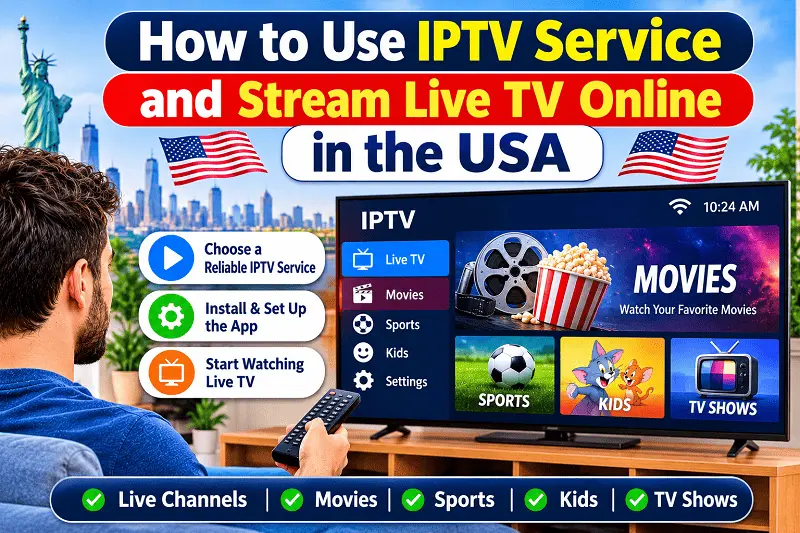
Most of us have. You pay every month, and the bill keeps going up. So people started looking for another way. That is where IPTV comes in. It is simple, and you can start at home today.
In this guide, I will show you how to use IPTV service the easy way. We will talk about what it is, what you need, and how to set it up. We will also cover how to stream live TV online in the USA without any headache. Nothing hard, I promise.
See Indian Subscription Packages
Explore Indian channel packages and find an IPTV subscription that fits your entertainment needs. Check available plans, features and compatible device options.
Explore IPTV Subscription →Choose your preferred IPTV subscription package and get started.
What Is IPTV?
IPTV stands for Internet Protocol Television. It is just TV that comes through your internet. There is no big dish on the roof and no cable wire in the wall. You use your Wi-Fi, and the channels show up on your screen. You still get news, sports, movies, and kids’ shows.
Here is a simple way to see it. You know how you watch videos on YouTube? IPTV works in a similar way, but with live TV channels. The video comes to your device bit by bit over the internet. Your TV, phone, or laptop plays it right away. That is all there is to it.
IPTV also comes in a few forms. Live TV shows a channel right as it airs. Video on demand lets you pick a movie or show whenever you want. Catch-up lets you watch something you missed. Most IPTV services in the USA plan give you all three in one place.
What You Need to Get Started
You do not need much. You need internet, a device, and an IPTV subscription. That is it. Once you have these three, you can start watching in about ten minutes. Here is a quick list so you can check what you already have at home. Most people already have half of it.
- Internet speed of at least 10 Mbps for one HD stream and 25 Mbps or more for 4K
- A device like a smart TV, Fire TV Stick, Android box, phone, or laptop
- An IPTV player app that works on your device
- An IPTV subscription from a provider
- A router close to your TV, or a wired cable if you can
Internet speed is the part people forget. If your internet is slow, the video will stop and load again and again. That gets old fast. Test your speed on your phone before you sign up for anything. It takes one minute, and it can save you a lot of stress later.
How to Use IPTV Service Step by Step
Step one is to pick a provider and a plan. After you sign up, they will send you your login details. This is usually a username and password, or sometimes a link. Save these somewhere safe, because you will need them in a minute. Do not share them with anyone.
Step two is to get an IPTV player app. On a Fire TV Stick or Android TV, open the app store and search for it. On an iPhone, use the App Store. Any trusted player app will work. Just pick one that has good reviews and download it. It only takes a minute.
Step three is to open the app and type in your login details. The app will then load your channels. This can take a minute the first time, so just wait. After that, you will see your channels in groups, like sports, news, movies, and kids. Easy to find.
Step four is to pick a channel and hit play. That is it, you are watching live TV. Now go and mark your favorite channels so they stay at the top. Most apps also have a search box, so you can type a channel name and find it fast.
What if something does not work? Do not worry. Close the app and open it again. Check that your internet is on. Make sure you typed your login right. A simple restart fixes most problems. If it still does not work, message your provider, because good ones help you quickly.
Best Devices to Watch IPTV in USA
You can use IPTV on almost any screen you have. Some are just easier than others. A Fire TV Stick is cheap and simple. An Android box gives you more options. A smart TV works great if the app is there. Phones and tablets are good when you are out.
| Device | Ease of Use | Best For | Cost |
| Fire TV Stick | Very easy | Beginners | Low |
| Android TV Box | Easy | Heavy users | Medium |
| Smart TV | Easy | No extra gear | Already owned |
| Phone or Tablet | Very easy | Watching on the go | Already owned |
| Laptop | Medium | Desk viewing | Already owned |
My tip is to use what you already have. You do not need to buy new stuff on day one. Try the app on your phone or smart TV first. If you like it, you can buy a Fire TV Stick or a box later. Start small and see how it goes.
How to Choose an IPTV Provider
Your provider matters a lot. A good IPTV provider gives you smooth video, a clear picture, and quick help when you need it. A bad one gives you freezing channels and no reply. So take a little time to check before you pay. It is worth it.
First, look at the channel list. Does it have the channels your family watches? Local news, sports, and kids shows are good ones to check. Then look at the price and what you get. Also see how many devices you can use at the same time, if more than one person watches.
If there is a trial, try it first. A short trial lets you see how fast channels load and how clear the video looks. You can also read the help pages on Guru IPTV to learn how an IPTV subscription works before you pick one. No need to rush.
Is IPTV Legal in the USA?
Good question, and you should ask it. IPTV by itself is legal. It is just a way to send TV through the internet. Big companies use it too. What matters is whether the provider has the right to show the channels it sells. That is where the problem can start.
Be careful with plans that cost almost nothing but promise thousands of channels. If the price looks too good, it might be too good. Pick a provider that is clear about what it sells, has real support, and answers your questions straight. If they do not answer, move on.
Simple Tips for Better Streaming
Most streaming problems come from your home network, not from the IPTV service. So a few small fixes at home can help a lot. Here are some easy things you can do. None of them need any tech skills, and most take less than a minute. Try them one by one.
- Use a wired cable from your router to your TV if you can
- Keep your router in the middle of your home, away from thick walls
- Close other apps that use a lot of data while you watch
- Restart your router once a week
- Update your IPTV app and your device often
- Skip the VPN unless you really need it, because it can slow your video
Mistakes New Users Make
The first mistake is paying before testing. The second is using weak Wi-Fi far away from the router. The third is leaving your login details where others can see them. All three are easy to avoid. Just take a few minutes at the start and you will be fine.
Another mistake is going for the cheapest plan only. A low price is good, but it is not everything. Look at support, uptime, and how good the channels are too. A plan that works every night is better than a cheap one that keeps stopping in the middle of a match.
Final Thoughts
IPTV is not hard when you try it. You need internet, a device, an app, and a provider you can trust. Follow this IPTV streaming guide 2026 step by step, and you can watch live TV in a few minutes. Go slow, test first, and take your time.
If you want to learn more before you start, visit Guru iptv for more help on IPTV service, plans, and setup. A little reading now saves you trouble later. Now sit back, pick a channel, and enjoy your shows. You are in control of your TV now.